Claude Cowork Is a Game Changer for Expats
How an AI assistant that can see your browser and read your email turned Dutch freelance onboarding, contract review and buying a houseboat from a slog into a Saturday afternoon.
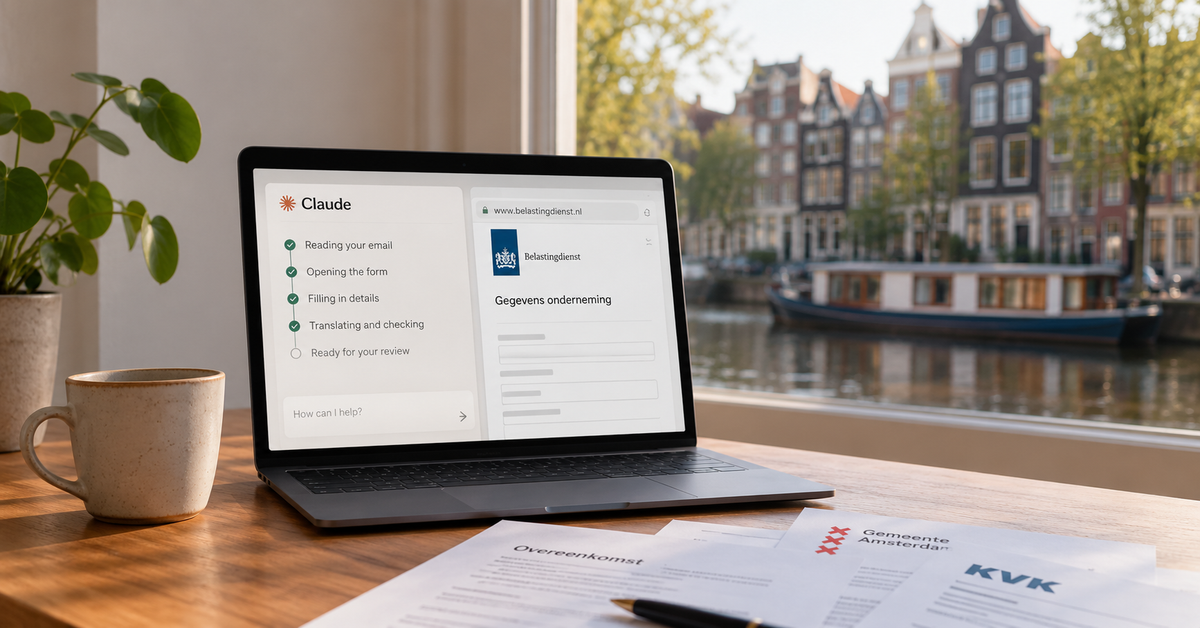
Most of what makes moving to the Netherlands hard isn't the big stuff. It's the hundred small forms, portals, contracts and emails that are 80% in Dutch even when you click the little "EN" button. For the last few months I've been doing nearly all of that with Claude Cowork open next to my browser, and it has changed how much of this country's paperwork I'm willing to take on myself.
This isn't a sponsored post. I just think more expats should know this exists.
What Cowork Actually Is
If you've used ChatGPT or Claude in a browser tab, you know the chat part. Cowork is the Claude desktop app with two things added:
- It can see and drive a browser. There's a browser pane right inside the app. Claude can open a Dutch government portal or a broker's onboarding site, read what's on the page, fill in fields, and hand it back to you when it's time to click the button that matters. Almost no Dutch website has any kind of AI integration, and that's fine, because Cowork works with the site exactly as it is.
- It can connect to your own stuff. Your email, your files, your calendar, and anything else you plug in through MCP (more on that below). So instead of you copying details out of three emails into a form, it reads the emails and fills the form.
Put those two together and you get something that behaves a lot less like a chatbot and a lot more like a very patient bilingual assistant sitting next to you.
Why Claude and Not ChatGPT
The honest answer is the connectors. OpenAI lets you use the integrations they ship inside their app, and that list is what it is. Claude supports MCP, an open standard for connecting an assistant to tools and data, and it's available starting on the free plan. That means Gmail, your Ghost blog, your invoicing system, your calendar, a flashcard app you wrote yourself, whatever, can all be plugged in, and Claude can read from and act on them during a chat.
Having everything in one place is what makes the browser part useful. "Fill in this form" is a party trick. "Fill in this form using the details from the broker's email, the KvK extract I got last week and the contract attached to Tuesday's message" is a Saturday afternoon I get back.
Example 1: Dutch Freelance Paperwork
I recently signed a freelance contract through one of the big Dutch staffing brokers. Even with the portal switched to English, the forms were a mix of English labels, Dutch instructions, Dutch PDFs and a Belastingdienst-approved model agreement that is Dutch all the way down.
Here's what Cowork did, in one sitting, while I watched:
- Read the broker's three onboarding emails from Gmail and told me which documents were being asked for, by whom, and by when (and explained why two different companies were asking for the same things).
- Pre-filled the portal. Company details pulled from the KvK lookup, the right legal form, the extract date, dates and rate from the emails, the self-billing and VAT answers, the entrepreneurship checklist. It stopped and asked me before each submit, and it flat-out refused to type my passport number or IBAN, which I appreciated more than I expected.
- Drafted the opdrachtomschrijving. Dutch brokers want an assignment description written in a specific five-point structure to keep you on the right side of the Wet DBA (the self-employment rules). It wrote it in Dutch from the job description in my recruiter's email, and it was better than what I'd have produced in English.
- Reviewed the contract. It read the model agreement and both appendices and gave me the plain-English version: notice periods, how long until I'd actually get paid (longer than you'd think; plan for about two months), the liability cap, the non-compete, and one line about fees that I needed to ask the broker to clarify.
- Read the client's NDA and flagged exactly which clauses mattered for someone who also runs their own open source projects.
I've done onboarding for US companies by hand, in my native language, and this was smoother. The redundant fields, the "upload the thing you already uploaded somewhere else" steps, the Dutch-only tooltips: all of it just went by.
Example 2: Buying a Woonboot
We're in the middle of buying a houseboat in Amsterdam, which is a whole post of its own. Short version: it's a normal Dutch property purchase with a few extra ways to get hurt (moorings, permits, surveys that cover the hull as well as the house). Cowork was in the loop at every step:
- Scanning listings. Funda is in Dutch, and houseboat listings bury the important bits (ligplaatsvergunning, erfpacht, whether the mooring is owned or rented, when the hull was last inspected) in free text. I had it read through dozens of listings and narrow to the handful that met our actual requirements.
- Dealing with makelaars. Dutch brokers are direct and move fast. It helped me draft replies, translated the responses with the tone intact, and kept a running summary of what had been agreed so far across a long email thread.
- Negotiation. When we were asked to make an "unconditional" offer, it helped me pin down what that word actually covers under Dutch law (no dissolving conditions) and what it doesn't (the seller's disclosure duties), so we could accept on terms we understood.
- Contract review. This is the one that paid for itself. The draft purchase agreement had a few additions I would not have caught on my own: an as-is clause that went further than usual, vague wording on inspection access before transfer, and nothing about registering the purchase. We went back on all of them and got them amended before signing.
Translation Is Just Better Now
Google Translate got us through our first months here, and it's still fine for a menu. But a modern LLM translates the message, not the words. It knows that an email from a makelaar is a negotiation, that a letter from the gemeente is bureaucratic boilerplate, that "wij gaan ervan uit dat" is a polite way of telling you what's going to happen. Translated replies come out sounding like a person wrote them, and I've stopped getting confused looks from Dutch recipients.
The other thing: when a direct translation doesn't make sense, you can just ask "what are they actually asking me to do here?" and get an answer. That alone is worth it for anything from the Belastingdienst.
Which Model to Use
Cowork lets you pick the Claude model per chat. After a few months of this:
- Fable 5.1 is the best writer of the bunch. Use it for drafts you'll actually send to a human.
- Opus 5.5 is fast and very accurate, and it's my default for forms, contracts and anything with numbers in it.
- Sonnet 5.5 is quicker and uses fewer tokens, and it's plenty for translation, summaries and "what does this form want from me."
Pricing is reasonable for what you get. A month of the paid plan is less than one hour of a Dutch lawyer's time, and I've used it to avoid needing that hour more than once.
FAQ
Do I need a paid plan?
No. MCP connectors are available from the free plan up. The paid plans mainly buy you more usage and the better models, which you'll want once you're doing contract reviews, but start free and see how far you get.
Do I need to be technical to use the browser part?
No. Install the Claude desktop app, open a chat, and say what you want done. It opens the browser pane itself. Technical knowledge only comes in if you want to self-host something like PCP.
Is it safe to connect my email?
Connectors ask for permission, and in Cowork you approve actions like sending email or submitting a form each time. Read what it's about to do before you say yes, the same as you would with a human assistant. If you want a tighter leash, PCP lets you allow or deny each individual tool.
Will it fill in everything for me?
Almost everything. It won't create accounts, type passwords, or enter ID and bank numbers, and it won't click the final submit on anything binding. Expect to do those parts yourself, with it telling you exactly where to click.
Does it work in Dutch?
Yes, fluently, including writing. If you need something sent in Dutch, ask for it in Dutch and have it show you the English alongside so you know what you're sending.
Can it replace a lawyer or accountant?
No, and it'll tell you so. What it does is make sure you walk into the lawyer's office knowing which three clauses to ask about, instead of paying them to read the whole thing to you.
Where do I start?
Download the Claude desktop app, connect Gmail, and the next time a Dutch letter or portal lands on you, open a chat and ask "what is this asking me to do, and can you help me do it?" That's it.